 Backend-as-a-Service
Aedes
Barebone MQTT broker that can run on any stream server, the node way
- Status
- Generally available
- Last checked
- Checked · Oct 13, 2026
- License
- Open source
- Pricing
- Free tier
What it is
Aedes is a lightweight MQTT broker designed to run on any stream server, leveraging Node.js for its implementation. It supports MQTT protocol, making it suitable for IoT applications. With a focus on simplicity and performance, Aedes is open-source under the MIT license and has a growing community of contributors. It is particularly useful for developers looking to integrate MQTT capabilities into Node.js applications without the overhead of more complex brokers.
Stream-based architecture for lightweight MQTT handling
When it fits — and when it doesn’t
A good fit for
Developers building IoT applications
Supports MQTT protocol, which is widely used in IoT
Node.js developers needing MQTT integration
Designed to work seamlessly with Node.js environments
Look elsewhere if
Enterprises needing advanced MQTT features
Lacks some advanced features found in other brokers
Non-JavaScript environments
Primarily built for JavaScript, limiting cross-language compatibility
Known weaknesses
Each one links to the public issue, changelog or docs page it came from, where we have one.
- 01
High number of open issues
94 open issues on GitHub
- 02
Limited to JavaScript
Primary language is JavaScript
- 03
Lacks advanced features
Described as 'barebone' in its GitHub description
What it does well
Lightweight and efficient
Unpacked size of 418483 bytes and only 4 dependencies
Open-source with active community
67 contributors and 1969 stars on GitHub
High weekly downloads
116225 weekly downloads on npm
Pricing
- Free tier
- Yes
- Paid from
- —
- Model
- Flat rate
- Enterprise plan
- No
Pricing last confirmed Oct 1, 2026.
Performance benchmarks
How Fast Is It?
Set up Aedes
Setup steps, common gotchas and what to check after 30 days.
Get the badge
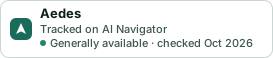
A small badge for Aedes’s README or site: its name, “Tracked on AI Navigator”, and the availability status and check month from this page. It updates as the catalog does.
Markdown
[](https://navigateaitools.com/explorer/tool/aedes)HTML
<a href="https://navigateaitools.com/explorer/tool/aedes"><img src="https://navigateaitools.com/badge/aedes.svg" alt="Aedes — tracked on AI Navigator" height="58"></a>