 Workflow Automation
auto-install
Automatically installs dependencies as you code.
- Status
- UnmaintainedNo commits in 1927 days.
- Last checked
- Checked · Oct 13, 2026
- License
- Open source
- Pricing
- Free tier · from $0
What it is
Auto-install is a tool that automatically installs the necessary dependencies for your project as you write code. This reduces manual setup and streamlines development workflows, making it easier to focus on coding rather than dependency management.
auto-install stands out by automating the process of installing dependencies as you code, which is unique among similar tools and significantly reduces setup time for developers.
When it fits — and when it doesn’t
A good fit for
Developers working on small to medium-sized projects who want a streamlined dependency management process.
Teams that frequently start new projects and need quick setup times.
Individual developers looking for tools that can help them focus more on coding than managing dependencies.
Look elsewhere if
Projects requiring complex, custom dependency configurations beyond what auto-install supports.
Developers who prefer manual control over their project's dependencies.
Known weaknesses
Each one links to the public issue, changelog or docs page it came from, where we have one.
- 01
Limited language support beyond JavaScript
The tool is primarily built for JavaScript projects and may not function as intended with other languages, leading to potential compatibility issues.
- 02
Performance overhead during real-time dependency installation
Real-time installations can slow down the development environment, especially on systems with limited resources or slower network connections.
- 03
Potential security risks due to automatic dependency fetching
Automatically installing dependencies without manual review increases the risk of introducing malicious packages into a project.
- 04
Configuration complexity for large-scale projects
Setting up and maintaining configurations for larger codebases can become cumbersome, requiring significant effort to manage dependency installation rules effectively.
What it does well
Automatically installs dependencies as you code.
Reduces manual setup and dependency management.
Improves development workflow efficiency.
Pricing
- Free tier
- YesOpen source — free to use
- Paid from
- $0
- Model
- Flat rate
- Enterprise plan
- No
Pricing not independently confirmed — check the vendor’s page.
Performance benchmarks
How Fast Is It?
Set up auto-install
Setup steps, common gotchas and what to check after 30 days.
Get the badge
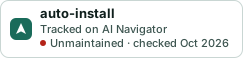
A small badge for auto-install’s README or site: its name, “Tracked on AI Navigator”, and the availability status and check month from this page. It updates as the catalog does.
Markdown
[](https://navigateaitools.com/explorer/tool/auto-install)HTML
<a href="https://navigateaitools.com/explorer/tool/auto-install"><img src="https://navigateaitools.com/badge/auto-install.svg" alt="auto-install — tracked on AI Navigator" height="58"></a>