Bodywork
Deploy Python ML projects to Kubernetes with ease.
- Status
- Not yet determined
- Last checked
- Checked · Oct 11, 2026
- License
- Open source
- Pricing
- Free tier · from $0
What it is
Bodywork simplifies the deployment of machine learning projects developed in Python by automating their orchestration on Kubernetes clusters, making it easier for developers and data scientists to manage and scale their applications.
Bodywork stands out by providing an easy-to-use interface for deploying Python ML projects to Kubernetes without the need for deep knowledge of Kubernetes itself, making it ideal for teams focused on developing rather than managing infrastructure.
When it fits — and when it doesn’t
A good fit for
Teams that need to deploy Python-based machine learning projects on Kubernetes clusters without extensive orchestration knowledge.
Data science teams looking for a streamlined way to manage and scale their applications in a cloud-native environment.
Look elsewhere if
Projects requiring real-time processing or streaming data, as Bodywork is optimized for batch jobs.
Teams that prefer fully managed services over self-hosted solutions.
Known weaknesses
Each one links to the public issue, changelog or docs page it came from, where we have one.
- 01
Limited language support beyond Python
Primary development and community support are centered around Python, with minimal support for other languages.
- 02
Complex setup process for Kubernetes clusters
Requires detailed configuration of Kubernetes resources which can be error-prone for less experienced users.
What it does well
Automates deployment of Python ML projects to Kubernetes clusters.
Simplifies the management and scaling of machine learning applications.
Provides a consistent environment for running complex workflows.
Pricing
- Free tier
- YesOpen source — free to use
- Paid from
- $0
- Model
- Flat rate
- Enterprise plan
- No
Pricing not independently confirmed — check the vendor’s page.
Performance benchmarks
How Fast Is It?
Set up Bodywork
Setup steps, common gotchas and what to check after 30 days.
Get the badge
A small badge for Bodywork’s README or site: its name, “Tracked on AI Navigator”, and the availability status and check month from this page. It updates as the catalog does.
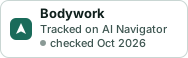
Markdown
[](https://navigateaitools.com/explorer/tool/bodywork)HTML
<a href="https://navigateaitools.com/explorer/tool/bodywork"><img src="https://navigateaitools.com/badge/bodywork.svg" alt="Bodywork — tracked on AI Navigator" height="58"></a>