 Frontend Frameworks
Brunch
Front-end build tool with fast incremental compilation and simple config.
- Status
- Generally available
- Last checked
- Checked · Oct 14, 2026
- License
- Open source
- Pricing
- Free tier · from $0
What it is
Brunch is a front-end web app build tool that offers simple declarative configuration, fast incremental compilation, and an opinionated workflow to streamline development processes.
Brunch stands out with its fast incremental compilation and opinionated workflow, making it ideal for developers who prioritize speed and simplicity in their front-end development process.
When it fits — and when it doesn’t
A good fit for
Teams building large-scale front-end applications who need fast incremental compilation
Developers working on projects that require simple configuration without extensive setup
Look elsewhere if
Projects requiring real-time streaming capabilities (Brunch is batch-oriented)
Small projects where a simpler build tool would suffice
Known weaknesses
Each one links to the public issue, changelog or docs page it came from, where we have one.
- 01
Limited documentation and community support
The official documentation lacks comprehensive guides, and the community is relatively small compared to other build tools like Webpack or Gulp.
- 02
Complex setup for non-standard configurations
Brunch's opinionated workflow can be restrictive when trying to customize the build process beyond its default settings, leading to complex and sometimes undocumented workarounds.
- 03
Performance issues with large projects
For larger applications with many files and dependencies, Brunch's incremental compilation can become slow and resource-intensive, impacting developer productivity.
What it does well
Simple declarative configuration
Fast incremental compilation
Opinionated workflow for efficient development
Pricing
- Free tier
- YesOpen source — free to use
- Paid from
- $0
- Model
- Flat rate
- Enterprise plan
- No
Pricing not independently confirmed — check the vendor’s page.
Performance benchmarks
How Fast Is It?
Set up Brunch
Setup steps, common gotchas and what to check after 30 days.
Get the badge
A small badge for Brunch’s README or site: its name, “Tracked on AI Navigator”, and the availability status and check month from this page. It updates as the catalog does.
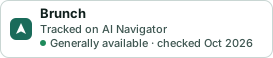
Markdown
[](https://navigateaitools.com/explorer/tool/brunch)HTML
<a href="https://navigateaitools.com/explorer/tool/brunch"><img src="https://navigateaitools.com/badge/brunch.svg" alt="Brunch — tracked on AI Navigator" height="58"></a>