 Frontend Frameworks
Click
Create beautiful command line interfaces in Python.
- Status
- Generally available
- Last checked
- Checked · Oct 15, 2026
- License
- Open source
- Pricing
- Free tier · from $0
What it is
Click is a package for creating composable and elegant command-line interfaces in Python. It simplifies the process of building CLI applications with minimal code, making it easier to develop user-friendly tools.
Click stands out as an easy-to-use and powerful library specifically designed to simplify the creation of command-line interfaces in Python, offering extensive features without the complexity often associated with such tasks.
When it fits — and when it doesn’t
A good fit for
Python developers who need to quickly create robust and user-friendly command line interfaces.
Teams working on projects that require extensive CLI interaction.
Look elsewhere if
Developers looking for a solution in languages other than Python.
Projects requiring complex, real-time interactive console applications
Known weaknesses
Each one links to the public issue, changelog or docs page it came from, where we have one.
- 01
Limited integrations with non-Python tools and ecosystems
Primarily designed for Python, limited support for other languages or frameworks
- 02
Small community and slower issue resolution
GitHub issues may take longer to address due to smaller developer base
What it does well
Composable command-line interfaces
Automatic help page generation
Support for subcommands and nested commands
Flexible parameter handling
Pricing
- Free tier
- YesOpen source — free to use
- Paid from
- $0
- Model
- Flat rate
- Enterprise plan
- No
Pricing not independently confirmed — check the vendor’s page.
Performance benchmarks
How Fast Is It?
Set up Click
Setup steps, common gotchas and what to check after 30 days.
Get the badge
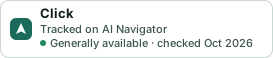
A small badge for Click’s README or site: its name, “Tracked on AI Navigator”, and the availability status and check month from this page. It updates as the catalog does.
Markdown
[](https://navigateaitools.com/explorer/tool/click)HTML
<a href="https://navigateaitools.com/explorer/tool/click"><img src="https://navigateaitools.com/badge/click.svg" alt="Click — tracked on AI Navigator" height="58"></a>