 Data Pipelines
climin
Optimization library for machine learning with gradient descent and more.
- Status
- UnmaintainedNo commits in 3683 days.
- Last checked
- Checked · Oct 14, 2026
- License
- Open source
- Pricing
- Free tier · from $0
What it is
Climin is an optimization library focused on machine learning, providing pythonic implementations of various optimization algorithms such as gradient descent, LBFGS, rmsprop, adadelta, and others. It's designed to be easy to use and integrate into existing Python projects for optimizing models.
Climin stands out as an open-source, self-hosted library offering a wide range of optimization algorithms specifically tailored for machine learning in Python.
When it fits — and when it doesn’t
A good fit for
Developers who need a flexible library for implementing various optimization algorithms in Python
Data scientists working on deep learning projects requiring gradient descent or similar methods
Look elsewhere if
Projects that require real-time optimization and cannot afford the overhead of Python
Teams looking for a cloud-based managed service for optimization tasks
Known weaknesses
Each one links to the public issue, changelog or docs page it came from, where we have one.
- 01
Limited active development and community support
The last commit was over a year ago, and the GitHub issues are not frequently addressed.
- 02
No support for modern Python versions
The library has not been updated to be compatible with Python 3.8+ features.
- 03
Limited integration with popular ML frameworks
Direct integrations with TensorFlow, PyTorch are not well-supported or documented.
What it does well
Implementations of various optimization algorithms for machine learning
Pythonic and easy to integrate into existing projects
Focus on gradient descent, LBFGS, rmsprop, adadelta
Pricing
- Free tier
- YesOpen source — free to use
- Paid from
- $0
- Model
- Flat rate
- Enterprise plan
- No
Pricing not independently confirmed — check the vendor’s page.
Performance benchmarks
How Fast Is It?
Set up climin
Setup steps, common gotchas and what to check after 30 days.
Get the badge
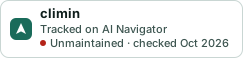
A small badge for climin’s README or site: its name, “Tracked on AI Navigator”, and the availability status and check month from this page. It updates as the catalog does.
Markdown
[](https://navigateaitools.com/explorer/tool/climin)HTML
<a href="https://navigateaitools.com/explorer/tool/climin"><img src="https://navigateaitools.com/badge/climin.svg" alt="climin — tracked on AI Navigator" height="58"></a>