 Frontend Frameworks
Dark Mode Toggle
Toggle macOS Dark Mode with ease.
- Status
- UnmaintainedNo commits in 1076 days.
- Last checked
- Checked · Oct 15, 2026
- License
- Open source
- Pricing
- Free tier · from $0
What it is
A simple command-line tool to toggle the macOS Dark Mode. Useful for developers and designers who need quick access to theme switching without navigating through system preferences.
Dark Mode Toggle provides a simple and efficient way to switch between light and dark modes on macOS without leaving the command line.
When it fits — and when it doesn’t
A good fit for
MacOS users who need to quickly toggle Dark Mode for development or design work.
Users who prefer command-line tools over graphical interfaces for theme switching.
Look elsewhere if
Windows or Linux users, as this tool is specific to macOS.
Users who do not require frequent theme switching and are comfortable with the system preferences interface.
Known weaknesses
Each one links to the public issue, changelog or docs page it came from, where we have one.
- 01
Limited platform support
The tool is only available for macOS, limiting its use to users on other operating systems.
- 02
Basic functionality with no advanced features
The tool only toggles Dark Mode and lacks additional customization options or integrations with other tools.
- 03
Depends on JavaScript runtime
Users must have a compatible version of Node.js installed to run the tool, which can introduce dependency issues.
What it does well
Quickly toggle macOS Dark Mode from the command line.
No need to navigate through system preferences for theme switching.
Pricing
- Free tier
- YesOpen source — free to use
- Paid from
- $0
- Model
- Flat rate
- Enterprise plan
- No
Pricing not independently confirmed — check the vendor’s page.
Performance benchmarks
How Fast Is It?
Set up Dark Mode Toggle
Setup steps, common gotchas and what to check after 30 days.
Get the badge
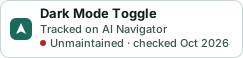
A small badge for Dark Mode Toggle’s README or site: its name, “Tracked on AI Navigator”, and the availability status and check month from this page. It updates as the catalog does.
Markdown
[](https://navigateaitools.com/explorer/tool/dark-mode)HTML
<a href="https://navigateaitools.com/explorer/tool/dark-mode"><img src="https://navigateaitools.com/badge/dark-mode.svg" alt="Dark Mode Toggle — tracked on AI Navigator" height="58"></a>