 Frontend Frameworks
Detect File Encoding and Language
Charset Detector for encoding and language detection in text files
- Status
- UnmaintainedNo commits in 1006 days.
- Last checked
- Checked · Oct 15, 2026
- License
- Open source
- Pricing
- Free tier · from $0
What it is
A tool to detect the character encoding and language of text files. It can be used in browsers, Node.js environments, or via CLI.
Provides a versatile and open-source solution for detecting character encoding and language in text files across different environments.
When it fits — and when it doesn’t
A good fit for
Developers working with multilingual text data who need to ensure correct encoding and language detection
Projects that require automated processing of files from various sources with unknown encodings
Look elsewhere if
Real-time applications requiring immediate encoding detection due to potential performance overhead
Applications where the source file's metadata is already known, making this tool redundant
Known weaknesses
Each one links to the public issue, changelog or docs page it came from, where we have one.
- 01
Limited support for less common encodings
The tool may not accurately detect uncommon or proprietary character encodings, leading to incorrect language detection.
- 02
Performance degradation with large files
Processing large text files can be slow and resource-intensive, which might cause delays in development workflows.
- 03
Inconsistent browser support across different platforms
The tool's performance and reliability may vary significantly when used within different browsers or operating systems.
- 04
Lack of comprehensive documentation for advanced usage
Detailed guides on how to configure the tool for specific use cases are lacking, which can hinder developers from fully leveraging its capabilities.
What it does well
Detects character encoding and language of text files
Supports browser, Node.js, and CLI usage
Open-source under MIT license
Pricing
- Free tier
- YesOpen source — free to use
- Paid from
- $0
- Model
- Flat rate
- Enterprise plan
- No
Pricing not independently confirmed — check the vendor’s page.
Performance benchmarks
How Fast Is It?
Set up Detect File Encoding and Language
Setup steps, common gotchas and what to check after 30 days.
Get the badge
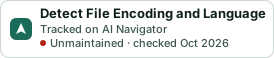
A small badge for Detect File Encoding and Language’s README or site: its name, “Tracked on AI Navigator”, and the availability status and check month from this page. It updates as the catalog does.
Markdown
[](https://navigateaitools.com/explorer/tool/detect-file-encoding-and-language)HTML
<a href="https://navigateaitools.com/explorer/tool/detect-file-encoding-and-language"><img src="https://navigateaitools.com/badge/detect-file-encoding-and-language.svg" alt="Detect File Encoding and Language — tracked on AI Navigator" height="58"></a>