 Backend-as-a-Service
Dynaconf
Configuration manager with plugins for Django, Flask and FastAPI.
- Status
- Generally available
- Last checked
- Checked · Oct 16, 2026
- License
- Open source
- Pricing
- Free tier · from $0
What it is
Dynaconf is a powerful configuration management tool that supports multiple sources like environment variables, YAML files, and more. It integrates seamlessly with popular web frameworks such as Django, Flask, and FastAPI to manage application settings effectively.
Dynaconf stands out as a versatile and flexible configuration manager for Python web frameworks, offering extensive support for multiple configuration sources and seamless integration capabilities.
When it fits — and when it doesn’t
A good fit for
Developers working on Django, Flask, or FastAPI projects who need a robust configuration manager.
Teams looking for a flexible and extensible way to manage application settings across multiple environments.
Look elsewhere if
Projects that require real-time dynamic configuration changes without restarting the application.
Applications with extremely strict performance requirements where even minor overhead is unacceptable.
Known weaknesses
Each one links to the public issue, changelog or docs page it came from, where we have one.
- 01
Limited documentation for advanced use cases
Official docs focus on basic configuration and lack detailed examples for complex scenarios
- 02
Small community and limited support
GitHub issues are not frequently addressed by maintainers, and Stack Overflow has few questions tagged with Dynaconf
What it does well
Supports multiple configuration sources including environment variables, YAML files, and more.
Integration with popular web frameworks like Django, Flask, and FastAPI.
Flexible and easy-to-use API for accessing configurations.
Pricing
- Free tier
- YesOpen source — free to use
- Paid from
- $0
- Model
- Flat rate
- Enterprise plan
- No
Pricing not independently confirmed — check the vendor’s page.
Performance benchmarks
How Fast Is It?
Set up Dynaconf
Setup steps, common gotchas and what to check after 30 days.
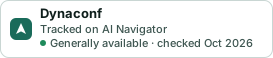
Get the badge
A small badge for Dynaconf’s README or site: its name, “Tracked on AI Navigator”, and the availability status and check month from this page. It updates as the catalog does.
Markdown
[](https://navigateaitools.com/explorer/tool/dynaconf)HTML
<a href="https://navigateaitools.com/explorer/tool/dynaconf"><img src="https://navigateaitools.com/badge/dynaconf.svg" alt="Dynaconf — tracked on AI Navigator" height="58"></a>