 Frontend Frameworks
embedza
Generate HTML snippets and embeds from URLs using oEmbed, Open Graph, and meta tags.
- Status
- UnmaintainedNo commits in 1761 days.
- Last checked
- Checked · Oct 16, 2026
- License
- Open source
- Pricing
- Free tier · from $0
What it is
embedza is a powerful tool for developers to create rich HTML snippets or embeds from URLs by extracting information through oEmbed, Open Graph, and meta tags. It simplifies the process of embedding content directly into web pages.
embedza stands out by offering a simple and efficient way to generate HTML snippets from URLs using multiple metadata sources, making it ideal for developers looking to integrate rich content dynamically.
When it fits — and when it doesn’t
A good fit for
Developers who need to embed rich content from URLs in their web applications.
Projects requiring automatic generation of HTML snippets for social media sharing.
Teams building documentation tools that require dynamic content embedding.
Look elsewhere if
Applications needing real-time streaming capabilities (embedza is designed for static content).
Scenarios where manual customization of each embed is required, as it automates the process.
Known weaknesses
Each one links to the public issue, changelog or docs page it came from, where we have one.
- 01
Small community and limited support
The tool has a small user base which results in fewer contributions and slower issue resolution on platforms like GitHub.
- 02
Performance issues with large-scale usage
Embedza may experience slowdowns or timeouts when processing multiple URLs simultaneously, impacting performance at scale.
What it does well
Extracts rich content from URLs using oEmbed, Open Graph, and meta tags.
Generates HTML snippets for easy embedding into web pages.
Supports customization of the generated embed code.
Pricing
- Free tier
- YesOpen source — free to use
- Paid from
- $0
- Model
- Flat rate
- Enterprise plan
- No
Pricing not independently confirmed — check the vendor’s page.
Performance benchmarks
How Fast Is It?
Set up embedza
Setup steps, common gotchas and what to check after 30 days.
Get the badge
A small badge for embedza’s README or site: its name, “Tracked on AI Navigator”, and the availability status and check month from this page. It updates as the catalog does.
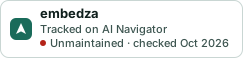
Markdown
[](https://navigateaitools.com/explorer/tool/embedza)HTML
<a href="https://navigateaitools.com/explorer/tool/embedza"><img src="https://navigateaitools.com/badge/embedza.svg" alt="embedza — tracked on AI Navigator" height="58"></a>