 Frontend Frameworks
flake8
A wrapper around pycodestyle, pyflakes and McCabe to check Python code for style and errors.
- Status
- Generally available
- Last checked
- Checked · Oct 16, 2026
- License
- Open source
- Pricing
- Free tier · from $0
What it is
Flake8 is a tool that checks your Python code against coding style (PEP8) guidelines and common programming errors. It integrates three tools: `pycodestyle` for style checking, `pyflakes` for error detection, and `McCabe` for complexity analysis.
Flake8 stands out as a comprehensive, open-source tool for Python code quality assurance, combining multiple tools into one package with extensive configurability and plugin support.
When it fits — and when it doesn’t
A good fit for
Teams that need to enforce PEP8 compliance and detect common programming errors in Python code.
Developers working on large projects where consistent coding style is crucial.
Look elsewhere if
Projects requiring real-time feedback during development (requires manual invocation).
Non-Python projects or languages not supported by flake8.
Known weaknesses
Each one links to the public issue, changelog or docs page it came from, where we have one.
- 01
Limited utility for non-Python projects
Flake8 is specifically designed for Python and does not support other languages.
- 02
Configuration complexity can be overwhelming
Extensive configuration options may confuse new users or lead to suboptimal setups if misconfigured.
- 03
Performance issues with large codebases
Flake8 can become slow and resource-intensive when analyzing very large projects, impacting developer productivity.
What it does well
Combines pycodestyle, pyflakes, and McCabe for comprehensive code analysis.
Extensive plugin ecosystem to extend functionality.
Highly configurable with options for customizing checks.
Pricing
- Free tier
- YesOpen source — free to use
- Paid from
- $0
- Model
- Flat rate
- Enterprise plan
- No
Pricing not independently confirmed — check the vendor’s page.
Performance benchmarks
How Fast Is It?
Set up flake8
Setup steps, common gotchas and what to check after 30 days.
Get the badge
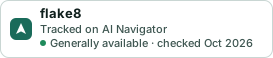
A small badge for flake8’s README or site: its name, “Tracked on AI Navigator”, and the availability status and check month from this page. It updates as the catalog does.
Markdown
[](https://navigateaitools.com/explorer/tool/flake8)HTML
<a href="https://navigateaitools.com/explorer/tool/flake8"><img src="https://navigateaitools.com/badge/flake8.svg" alt="flake8 — tracked on AI Navigator" height="58"></a>