 Databases (Core)
Knex
Flexible query builder for PostgreSQL, MySQL and SQLite3.
- Status
- Generally available
- Last checked
- Checked · Oct 11, 2026
- License
- Open source
- Pricing
- Free tier · from $0
What it is
Knex is a SQL query builder that allows developers to write queries in a more readable and maintainable way. It supports multiple database systems and provides a consistent API across them.
Knex stands out as a lightweight, flexible SQL query builder that supports multiple databases and provides a consistent API across them.
When it fits — and when it doesn’t
A good fit for
Developers working on projects that require interaction with PostgreSQL, MySQL or SQLite3 and prefer a query builder over raw SQL.
Teams building web applications in JavaScript/TypeScript who need a consistent way to interact with different databases.
Look elsewhere if
Projects requiring real-time database interactions where low-latency is critical
Developers preferring ORM solutions over query builders
Known weaknesses
Each one links to the public issue, changelog or docs page it came from, where we have one.
- 01
Steep learning curve for new users
Complex API and query building patterns require significant time to master.
- 02
Limited documentation and examples
Official documentation lacks comprehensive guides and real-world usage examples, leading to a steeper learning curve.
- 03
Frequent breaking changes between versions
Version upgrades often require significant code refactoring due to API changes, disrupting development workflows.
- 04
Performance overhead for complex queries
Building and executing complex SQL queries can introduce performance bottlenecks compared to raw SQL execution.
What it does well
Flexible query building for multiple databases
Supports PostgreSQL, MySQL, and SQLite3
Consistent API across different database systems
Pricing
- Free tier
- YesOpen source — free to use
- Paid from
- $0
- Model
- Flat rate
- Enterprise plan
- No
Pricing not independently confirmed — check the vendor’s page.
Performance benchmarks
How Fast Is It?
Set up Knex
Setup steps, common gotchas and what to check after 30 days.
Get the badge
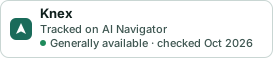
A small badge for Knex’s README or site: its name, “Tracked on AI Navigator”, and the availability status and check month from this page. It updates as the catalog does.
Markdown
[](https://navigateaitools.com/explorer/tool/knex)HTML
<a href="https://navigateaitools.com/explorer/tool/knex"><img src="https://navigateaitools.com/badge/knex.svg" alt="Knex — tracked on AI Navigator" height="58"></a>