 Email & Messaging
knockknock
Get notified when your training ends with only two additional lines of code.
- Status
- UnmaintainedNo commits in 2354 days.
- Last checked
- Checked · Oct 11, 2026
- License
- Open source
- Pricing
- Free tier · from $0
What it is
Knockknock is a simple Python library that allows developers to get notifications when their machine learning model training completes. It requires minimal setup and can be integrated into existing projects easily, enhancing productivity by alerting users about the completion status.
Knockknock stands out as a lightweight, easy-to-integrate solution for getting notifications on the completion of ML training tasks without the need for complex setup or additional infrastructure.
When it fits — and when it doesn’t
A good fit for
Developers working on long-running ML experiments who need to be notified upon completion
Teams that require minimal setup and integration effort for training job notifications
Look elsewhere if
Projects requiring real-time monitoring or continuous updates during the training process
Users looking for a comprehensive machine learning platform with built-in notification features
Known weaknesses
Each one links to the public issue, changelog or docs page it came from, where we have one.
- 01
Limited language support
Knockknock is primarily designed for Python, which restricts its usability in projects that use other languages.
- 02
Narrow scope of functionality
The library only focuses on notifications upon completion of training tasks and lacks additional features like real-time monitoring or detailed performance metrics.
- 03
Small community and limited support
Being an open-source project with a small contributor base, it may have slower issue resolution and fewer resources for troubleshooting.
What it does well
Minimal setup required
Easy integration into existing projects
Notifies users upon completion of training tasks
Pricing
- Free tier
- YesOpen source — free to use
- Paid from
- $0
- Model
- Flat rate
- Enterprise plan
- No
Pricing not independently confirmed — check the vendor’s page.
Performance benchmarks
How Fast Is It?
Set up knockknock
Setup steps, common gotchas and what to check after 30 days.
Get the badge
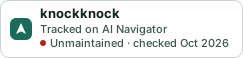
A small badge for knockknock’s README or site: its name, “Tracked on AI Navigator”, and the availability status and check month from this page. It updates as the catalog does.
Markdown
[](https://navigateaitools.com/explorer/tool/knockknock)HTML
<a href="https://navigateaitools.com/explorer/tool/knockknock"><img src="https://navigateaitools.com/badge/knockknock.svg" alt="knockknock — tracked on AI Navigator" height="58"></a>