 Data Pipelines
lakeFS
Versioned data lake on top of object storage.
- Status
- Generally available
- Last checked
- Checked · Oct 11, 2026
- License
- Open source
- Pricing
- Free tier · from $0
What it is
lakeFS provides a repeatable, atomic and versioned layer for your data lake, built on top of existing object storage systems. It enables teams to manage their data with the same rigor as code, ensuring reproducibility and collaboration.
lakeFS stands out by providing robust version control capabilities to data lakes, enabling teams to manage their datasets with the same rigor as code repositories.
When it fits — and when it doesn’t
A good fit for
Teams managing large-scale data lakes who need version control and reproducibility
Organizations with complex data workflows that require collaboration and audit trails
Look elsewhere if
Projects requiring real-time data processing (lakeFS is optimized for batch operations)
Use cases where the overhead of a versioned system would be prohibitive
Known weaknesses
Each one links to the public issue, changelog or docs page it came from, where we have one.
- 01
Steep learning curve for non-Go developers
The primary language used in lakeFS is Go, which can be challenging for teams not familiar with the language.
- 02
Limited integrations with other data tools
While it supports some popular storage systems like S3 and GCS, integration with niche or less common data management tools is lacking.
- 03
Complex setup and configuration
Setting up lakeFS requires a deep understanding of both the tool's architecture and underlying object storage systems, leading to potential misconfigurations.
- 04
Performance issues with large datasets
Operations like branching and merging can be slow or resource-intensive when dealing with very large data volumes, impacting productivity.
What it does well
Version control for data lakes
Atomic commits and rollbacks
Branching and merging capabilities
Integration with existing object storage systems
Audit trails and reproducibility
Pricing
- Free tier
- YesOpen source — free to use
- Paid from
- $0
- Model
- Flat rate
- Enterprise plan
- No
Pricing not independently confirmed — check the vendor’s page.
Performance benchmarks
How Fast Is It?
Set up lakeFS
Setup steps, common gotchas and what to check after 30 days.
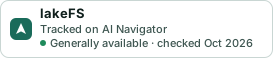
Get the badge
A small badge for lakeFS’s README or site: its name, “Tracked on AI Navigator”, and the availability status and check month from this page. It updates as the catalog does.
Markdown
[](https://navigateaitools.com/explorer/tool/lakefs)HTML
<a href="https://navigateaitools.com/explorer/tool/lakefs"><img src="https://navigateaitools.com/badge/lakefs.svg" alt="lakeFS — tracked on AI Navigator" height="58"></a>