 Observability & Monitoring
log-symbols
Colored symbols for various log levels to enhance console output.
- Status
- Generally available
- Last checked
- Checked · Oct 12, 2026
- License
- Open source
- Pricing
- Free tier · from $0
What it is
Log-symbols is a simple Node.js library that provides colored symbols for different log levels, making console outputs more readable and visually appealing. It's particularly useful in development environments where clear logging can significantly aid debugging and monitoring processes.
Log-symbols stands out as a lightweight, easy-to-use library for adding colored symbols to log levels, enhancing the readability and usability of console outputs without requiring complex setup.
When it fits — and when it doesn’t
A good fit for
Developers who need clear, visually distinct logging for their Node.js projects
Teams looking to improve the readability of console outputs in their applications
Look elsewhere if
Projects that do not require enhanced visual cues in log messages
Environments where colored output is restricted or unsupported
Known weaknesses
Each one links to the public issue, changelog or docs page it came from, where we have one.
- 01
Limited language support
Log-symbols is specifically designed for Node.js and JavaScript, which limits its usability in other programming environments.
- 02
Small community and limited contributions
The tool has a relatively small user base and fewer contributors compared to more popular logging libraries like Winston or Bunyan.
- 03
Lack of advanced filtering and formatting options
Log-symbols primarily focuses on colored symbols for log levels, lacking features such as dynamic message templating and complex log level filtering.
What it does well
Colored symbols for log levels (success, error, warning)
Easy to integrate with existing logging systems
Lightweight and fast
Pricing
- Free tier
- YesOpen source — free to use
- Paid from
- $0
- Model
- Flat rate
- Enterprise plan
- No
Pricing not independently confirmed — check the vendor’s page.
Performance benchmarks
How Fast Is It?
Set up log-symbols
Setup steps, common gotchas and what to check after 30 days.
Get the badge
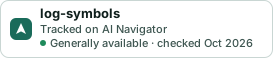
A small badge for log-symbols’s README or site: its name, “Tracked on AI Navigator”, and the availability status and check month from this page. It updates as the catalog does.
Markdown
[](https://navigateaitools.com/explorer/tool/log-symbols)HTML
<a href="https://navigateaitools.com/explorer/tool/log-symbols"><img src="https://navigateaitools.com/badge/log-symbols.svg" alt="log-symbols — tracked on AI Navigator" height="58"></a>