 Model Hubs & Serving
Microsoft Recommenders
Jupyter notebooks for building recommendation systems with state-of-the-art algorithms.
- Status
- Generally available
- Last checked
- Checked · Oct 15, 2026
- License
- Open source
- Pricing
- Free tier · from $0
What it is
Examples and best practices for building recommendation systems provided as Jupyter notebooks. Contains some of the latest state-of-the-art algorithms from Microsoft Research and other institutions, aiding developers in creating robust recommendation engines.
Microsoft Recommenders stands out for its comprehensive set of state-of-the-art algorithms and detailed Jupyter notebook examples, making it ideal for developers who want to implement cutting-edge recommendation techniques with ease.
When it fits — and when it doesn’t
A good fit for
Developers looking to implement state-of-the-art recommendation algorithms in their projects.
Data scientists who need comprehensive examples and best practices for building recommendation systems.
Teams working on personalized user experiences across various platforms.
Look elsewhere if
Projects requiring real-time recommendations with sub-second latency, as the focus is more on algorithmic excellence than speed.
Developers seeking a fully managed service or platform to deploy recommendation systems without local setup.
Known weaknesses
Each one links to the public issue, changelog or docs page it came from, where we have one.
- 01
Limited support for non-English datasets
Algorithms and pre-processing steps are optimized for English text data, limiting effectiveness with other languages
- 02
Resource-intensive at scale
State-of-the-art algorithms can be computationally expensive when applied to large datasets, requiring significant memory and processing power
What it does well
State-of-the-art recommendation algorithms from Microsoft Research and other institutions.
Jupyter notebooks for easy experimentation and implementation.
Comprehensive documentation and examples to guide developers.
Pricing
- Free tier
- YesOpen source — free to use
- Paid from
- $0
- Model
- Flat rate
- Enterprise plan
- No
Pricing not independently confirmed — check the vendor’s page.
Performance benchmarks
How Fast Is It?
Set up Microsoft Recommenders
Setup steps, common gotchas and what to check after 30 days.
Get the badge
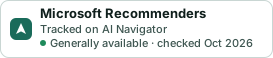
A small badge for Microsoft Recommenders’s README or site: its name, “Tracked on AI Navigator”, and the availability status and check month from this page. It updates as the catalog does.
Markdown
[](https://navigateaitools.com/explorer/tool/microsoft-recommenders)HTML
<a href="https://navigateaitools.com/explorer/tool/microsoft-recommenders"><img src="https://navigateaitools.com/badge/microsoft-recommenders.svg" alt="Microsoft Recommenders — tracked on AI Navigator" height="58"></a>