 Image & Design
min-DALL·E
Fast PyTorch port of DALL·E Mini for image generation.
- Status
- Not yet determined
- Last checked
- Checked · Oct 12, 2026
- License
- Open source
- Pricing
- Free tier · from $0
What it is
min(DALL·E) is a fast, minimal port of DALL·E Mini to PyTorch, enabling developers and researchers to generate images from text descriptions quickly. It's ideal for those looking for a lightweight solution without sacrificing quality.
min-DALL·E stands out as a lightweight yet powerful PyTorch-based solution for generating images from text descriptions, offering developers and researchers an efficient alternative to more resource-intensive models.
When it fits — and when it doesn’t
A good fit for
Developers who need a lightweight image generation solution integrated into PyTorch projects
Researchers looking for fast and efficient image synthesis tools
Look elsewhere if
Teams requiring real-time, high-resolution image generation services
Projects with strict latency requirements where every millisecond counts
Known weaknesses
Each one links to the public issue, changelog or docs page it came from, where we have one.
- 01
Limited image generation quality compared to the original DALL·E Mini
min-DALL·E uses a smaller model size for faster performance, which can result in lower fidelity images.
- 02
Narrow scope of supported text-to-image transformations
The minimalistic approach means that certain complex or niche text descriptions may not generate satisfactory images.
- 03
Requires significant computational resources for optimal performance
Running min-DALL·E efficiently requires a GPU with substantial VRAM, making it less accessible to developers without access to high-end hardware.
What it does well
Fast image generation from text descriptions
Minimalistic and lightweight implementation
PyTorch-based for easy integration with other PyTorch projects
Pricing
- Free tier
- YesOpen source — free to use
- Paid from
- $0
- Model
- Flat rate
- Enterprise plan
- No
Pricing not independently confirmed — check the vendor’s page.
Performance benchmarks
How Fast Is It?
Set up min-DALL·E
Setup steps, common gotchas and what to check after 30 days.
Get the badge
A small badge for min-DALL·E’s README or site: its name, “Tracked on AI Navigator”, and the availability status and check month from this page. It updates as the catalog does.
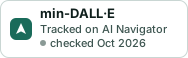
Markdown
[](https://navigateaitools.com/explorer/tool/min-dalle)HTML
<a href="https://navigateaitools.com/explorer/tool/min-dalle"><img src="https://navigateaitools.com/badge/min-dalle.svg" alt="min-DALL·E — tracked on AI Navigator" height="58"></a>