 Observability & Monitoring
Netdata
AI-powered full stack observability for lean teams.
- Status
- Generally available
- Last checked
- Checked · Oct 16, 2026
- License
- Open source
- Pricing
- Free tier · from $0
What it is
Netdata provides real-time monitoring and alerting with AI-driven insights to help developers and operations teams quickly identify and resolve issues in their systems. It is designed to be easy to use, even for small teams or individuals.
Netdata stands out with its real-time performance and ease of deployment, making it ideal for teams that need immediate visibility into their systems without the overhead of complex setup or maintenance.
When it fits — and when it doesn’t
A good fit for
Teams needing comprehensive monitoring with minimal setup effort
Individual developers who want real-time visibility into their systems without complex configurations
Organizations that require low-resource usage monitoring solutions
Look elsewhere if
Projects requiring cloud-hosted monitoring services
Scenarios where only specific, high-level metrics are needed and detailed system insights are not required
Known weaknesses
Each one links to the public issue, changelog or docs page it came from, where we have one.
- 01
Limited language support primarily in C
The core of Netdata is written in C, which might limit the ecosystem and community contributions compared to more popular languages like Go or Python.
- 02
Complex setup for advanced configurations
While easy to deploy out-of-the-box, setting up custom alerts, dashboards, and integrating with other systems can be complex and require deep configuration knowledge.
- 03
Performance overhead on low-resource systems
Netdata's real-time monitoring can introduce significant CPU and memory usage, which may be problematic for resource-constrained environments such as small VMs or IoT devices.
- 04
Limited third-party integrations compared to commercial solutions
While Netdata supports a variety of integrations, it lags behind commercial observability tools in terms of breadth and depth of supported services and platforms.
What it does well
Real-time monitoring and alerting
AI-driven anomaly detection
Easy to deploy and use
Extensive visualization options
High performance with low resource usage
Pricing
- Free tier
- YesOpen source — free to use
- Paid from
- $0
- Model
- Flat rate
- Enterprise plan
- No
Pricing not independently confirmed — check the vendor’s page.
Performance benchmarks
How Fast Is It?
Set up Netdata
Setup steps, common gotchas and what to check after 30 days.
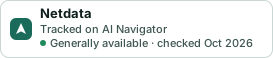
Get the badge
A small badge for Netdata’s README or site: its name, “Tracked on AI Navigator”, and the availability status and check month from this page. It updates as the catalog does.
Markdown
[](https://navigateaitools.com/explorer/tool/netdata)HTML
<a href="https://navigateaitools.com/explorer/tool/netdata"><img src="https://navigateaitools.com/badge/netdata.svg" alt="Netdata — tracked on AI Navigator" height="58"></a>