 Evaluation & Testing
oneprompt
A library for structured and reliable prompt engineering.
- Status
- UnmaintainedNo commits in 643 days.
- Last checked
- Checked · Oct 10, 2026
- License
- Open source
- Pricing
- Free tier · from $0
What it is
oneprompt is a library that brings structure, validation, and reliability to the process of creating prompts for AI models. It helps developers ensure their prompts are well-formed and consistent, reducing errors and improving the quality of interactions with AI systems.
oneprompt stands out as a tool specifically designed for ensuring the quality and reliability of prompts used in AI interactions, offering structured creation and validation capabilities.
When it fits — and when it doesn’t
A good fit for
Teams working on NLP applications who need structured and validated prompts for AI models
Projects where consistency and reliability in prompt creation are critical to success
Look elsewhere if
Scenarios requiring real-time, dynamic prompt generation without prior validation
Use cases that do not require or benefit from the structure provided by oneprompt
Known weaknesses
Each one links to the public issue, changelog or docs page it came from, where we have one.
- 01
Limited language support beyond JavaScript/TypeScript
Primary development and maintenance focus is on JavaScript, with other languages lacking official support
- 02
Complex setup for large-scale projects
Integration into existing codebases can be cumbersome due to the need for extensive configuration
- 03
Poor documentation for advanced use cases
Advanced features and troubleshooting guides are sparse, leading to difficulties in resolving complex issues
What it does well
Structured prompt creation
Validation of prompts to ensure correctness
Enhanced reliability in AI interactions through well-formed prompts
Pricing
- Free tier
- YesOpen source — free to use
- Paid from
- $0
- Model
- Flat rate
- Enterprise plan
- No
Pricing not independently confirmed — check the vendor’s page.
Performance benchmarks
How Fast Is It?
Set up oneprompt
Setup steps, common gotchas and what to check after 30 days.
Get the badge
A small badge for oneprompt’s README or site: its name, “Tracked on AI Navigator”, and the availability status and check month from this page. It updates as the catalog does.
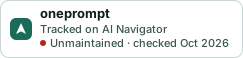
Markdown
[](https://navigateaitools.com/explorer/tool/oneprompt)HTML
<a href="https://navigateaitools.com/explorer/tool/oneprompt"><img src="https://navigateaitools.com/badge/oneprompt.svg" alt="oneprompt — tracked on AI Navigator" height="58"></a>