 Model Hubs & Serving
PyBrain
Python library for machine learning and neural networks.
- Status
- UnmaintainedNo commits in 3173 days.
- Last checked
- Checked · Oct 10, 2026
- License
- Open source
- Pricing
- Free tier · from $0
What it is
PyBrain is a modular Machine Learning Library for Python. It's designed to be simple yet powerful, allowing users to build and train various types of neural networks and other machine learning models.
PyBrain stands out for its simplicity and modularity, making it an excellent choice for educational purposes and research projects where flexibility is key.
When it fits — and when it doesn’t
A good fit for
Researchers who need a flexible library for experimenting with different neural network architectures.
Academics teaching introductory courses on machine learning and AI.
Look elsewhere if
Teams requiring real-time, high-performance inference in production environments
Projects that require deep integration with cloud-based services
Known weaknesses
Each one links to the public issue, changelog or docs page it came from, where we have one.
- 01
Limited active development and maintenance
Last major update was several years ago, with minimal activity in recent years
- 02
Lack of comprehensive documentation
Documentation is sparse and does not cover all features or provide detailed examples for complex use cases
- 03
Outdated dependencies
PyBrain relies on older versions of Python libraries which may introduce security vulnerabilities and compatibility issues with modern applications
What it does well
Support for supervised and unsupervised learning algorithms
Modular design allowing easy customization of neural networks
Built-in support for reinforcement learning
Comprehensive documentation and examples
Pricing
- Free tier
- YesOpen source — free to use
- Paid from
- $0
- Model
- Flat rate
- Enterprise plan
- No
Pricing not independently confirmed — check the vendor’s page.
Performance benchmarks
How Fast Is It?
Set up PyBrain
Setup steps, common gotchas and what to check after 30 days.
Get the badge
A small badge for PyBrain’s README or site: its name, “Tracked on AI Navigator”, and the availability status and check month from this page. It updates as the catalog does.
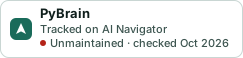
Markdown
[](https://navigateaitools.com/explorer/tool/pybrain)HTML
<a href="https://navigateaitools.com/explorer/tool/pybrain"><img src="https://navigateaitools.com/badge/pybrain.svg" alt="PyBrain — tracked on AI Navigator" height="58"></a>