PyCharm
Powerful Python IDE with robust code analysis and debugging tools.
- Status
- Generally available
- Last checked
- Checked · Oct 12, 2026
- License
- Proprietary
- Pricing
- Free tier
What it is
PyCharm is a commercial Integrated Development Environment (IDE) by JetBrains, designed specifically for Python development. It offers both a free community edition and a paid professional version with advanced features like integrated testing, support for web frameworks, and more.
PyCharm stands out with its comprehensive set of tools for Python developers, including advanced code analysis and support for multiple web frameworks, making it ideal for large-scale projects.
When it fits — and when it doesn’t
A good fit for
Teams working on large-scale Python projects requiring robust debugging and testing tools.
Developers who need integrated support for multiple web frameworks like Django and Flask.
Look elsewhere if
Small projects where a lightweight editor is sufficient.
Projects that require extensive cloud-based development environments, as PyCharm is primarily local.
Known weaknesses
Each one links to the public issue, changelog or docs page it came from, where we have one.
- 01
Steep learning curve for new users
PyCharm's extensive feature set and complex configuration options can overwhelm beginners.
- 02
Limited free version capabilities
The community edition lacks advanced features such as integrated testing tools, support for web frameworks like Django and Flask, and other professional-grade functionalities available only in the paid version.
- 03
Performance issues with large projects
PyCharm can become slow and resource-intensive when handling very large codebases or complex project structures.
- 04
Vendor lock-in
While PyCharm offers robust features, its proprietary nature means users are tied to JetBrains for updates, support, and new features, limiting flexibility in choosing alternative tools.
What it does well
Code analysis and on-the-fly error detection
Integrated testing tools
Support for web frameworks like Django and Flask
Version control system integration (Git, SVN)
Database support
Pricing
- Free tier
- Yes
- Paid from
- —
- Model
- Flat rate
- Enterprise plan
- No
Pricing not independently confirmed — check the vendor’s page.
Performance benchmarks
How Fast Is It?
Set up PyCharm
Setup steps, common gotchas and what to check after 30 days.
Get the badge
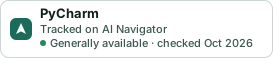
A small badge for PyCharm’s README or site: its name, “Tracked on AI Navigator”, and the availability status and check month from this page. It updates as the catalog does.
Markdown
[](https://navigateaitools.com/explorer/tool/pycharm)HTML
<a href="https://navigateaitools.com/explorer/tool/pycharm"><img src="https://navigateaitools.com/badge/pycharm.svg" alt="PyCharm — tracked on AI Navigator" height="58"></a>