 Frontend Frameworks
PyDexter
Simple plotting for Python, rendering charts in-browser with D3xterjs.
- Status
- UnmaintainedNo commits in 3020 days.
- Last checked
- Checked · Oct 10, 2026
- License
- Open source
- Pricing
- Free tier · from $0
What it is
PyDexter is a simple plotting library for Python that wraps around D3xterjs to easily render interactive charts directly in the browser. It simplifies the process of creating visualizations without needing deep knowledge of JavaScript or D3.js.
PyDexter stands out as an easy-to-use Python library for creating interactive browser-based charts, simplifying the process of integrating visualizations into web applications without deep frontend knowledge.
When it fits — and when it doesn’t
A good fit for
Python developers who need to quickly create browser-rendered charts without JavaScript expertise.
Educators and students looking for a simple way to visualize data in the browser.
Look elsewhere if
Projects requiring highly customized or complex charting features that go beyond basic visualization needs.
Teams needing real-time data streaming capabilities directly within their plots.
Known weaknesses
Each one links to the public issue, changelog or docs page it came from, where we have one.
- 01
Limited customization options compared to direct D3.js usage
PyDexter abstracts away many D3.js features, limiting fine-grained control over chart elements.
- 02
Performance issues with large datasets
Rendering complex charts with thousands of data points can lead to slow performance and browser hangs.
- 03
Small community and limited third-party support
The project has a small number of contributors, leading to slower issue resolution and fewer external integrations.
- 04
Frequent breaking changes between versions
v0.1 to v0.2 migration required rewriting chain definitions, causing substantial refactoring effort for existing users.
What it does well
Simplified plotting for Python users.
Renders charts directly in the browser using D3xterjs.
No need to write JavaScript or understand complex charting libraries.
Pricing
- Free tier
- YesOpen source — free to use
- Paid from
- $0
- Model
- Flat rate
- Enterprise plan
- No
Pricing not independently confirmed — check the vendor’s page.
Performance benchmarks
How Fast Is It?
Set up PyDexter
Setup steps, common gotchas and what to check after 30 days.
Get the badge
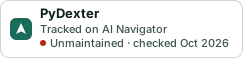
A small badge for PyDexter’s README or site: its name, “Tracked on AI Navigator”, and the availability status and check month from this page. It updates as the catalog does.
Markdown
[](https://navigateaitools.com/explorer/tool/pydexter)HTML
<a href="https://navigateaitools.com/explorer/tool/pydexter"><img src="https://navigateaitools.com/badge/pydexter.svg" alt="PyDexter — tracked on AI Navigator" height="58"></a>