 Frontend Frameworks
qrcode
Generate QR codes and barcodes in Node.js applications.
- Status
- UnmaintainedNo commits in 750 days.
- Last checked
- Checked · Oct 10, 2026
- License
- Open source
- Pricing
- Free tier · from $0
What it is
qrcode is a powerful library for generating QR codes and barcodes directly within Node.js applications, making it easy to integrate barcode functionality into web services or command-line tools.
qrcode stands out as a lightweight, highly customizable Node.js library specifically designed for generating QR codes and barcodes directly within applications, offering extensive configuration options not found in simpler alternatives.
When it fits — and when it doesn’t
A good fit for
Developers needing to generate QR codes and barcodes within Node.js applications.
Projects requiring high customization of barcode generation parameters.
Look elsewhere if
Applications that require real-time barcode scanning capabilities.
Use cases where a web-based interface for barcode creation is preferred over library integration.
Known weaknesses
Each one links to the public issue, changelog or docs page it came from, where we have one.
- 01
Limited customization options for barcode types beyond QR codes
The library primarily focuses on QR code generation and offers limited support for other barcode formats.
- 02
Performance issues with large-scale barcode generation
Generating a high volume of barcodes can lead to increased memory usage and slower processing times, impacting scalability.
- 03
Documentation lacks comprehensive examples and best practices
The official documentation is sparse on detailed use cases and practical implementation tips, making it harder for new users to get started effectively.
What it does well
Generates QR codes and barcodes in various formats.
Highly customizable with options for size, error correction level, and more.
Supports both synchronous and asynchronous generation methods.
Pricing
- Free tier
- YesOpen source — free to use
- Paid from
- $0
- Model
- Flat rate
- Enterprise plan
- No
Pricing not independently confirmed — check the vendor’s page.
Performance benchmarks
How Fast Is It?
Set up qrcode
Setup steps, common gotchas and what to check after 30 days.
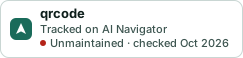
Get the badge
A small badge for qrcode’s README or site: its name, “Tracked on AI Navigator”, and the availability status and check month from this page. It updates as the catalog does.
Markdown
[](https://navigateaitools.com/explorer/tool/qrcode)HTML
<a href="https://navigateaitools.com/explorer/tool/qrcode"><img src="https://navigateaitools.com/badge/qrcode.svg" alt="qrcode — tracked on AI Navigator" height="58"></a>