Recast Studio
AI-powered podcast marketing assistant.
- Status
- Generally available
- Last checked
- Checked · Oct 12, 2026
- License
- Proprietary
- Pricing
- Free tier
What it is
Recast Studio is an AI-driven tool designed to help marketers and content creators enhance their podcast reach through automated summaries, social media posts, and audience engagement strategies.
Recast Studio stands out by offering an all-in-one solution for podcast marketing, combining AI-generated content with analytics to help users maximize their reach and engagement.
When it fits — and when it doesn’t
A good fit for
Podcasters who need efficient ways to promote their episodes on social media.
Marketing teams looking for automated tools to enhance podcast engagement.
Look elsewhere if
Individuals or small teams without a significant podcast presence.
Users requiring extensive customization beyond the provided templates.
Known weaknesses
Each one links to the public issue, changelog or docs page it came from, where we have one.
- 01
Limited language support beyond English
Documentation and user feedback indicate poor performance in non-English languages
- 02
Expensive at scale for high-volume podcast networks
Pricing model charges per API call, leading to significant costs with many podcasts
What it does well
Automated episode summaries and highlights
Social media post generation for podcast promotion
Audience engagement analytics
Customizable templates for marketing materials
Pricing
- Free tier
- Yes
- Paid from
- —
- Model
- Flat rate
- Enterprise plan
- No
Pricing not independently confirmed — check the vendor’s page.
Performance benchmarks
How Fast Is It?
Set up Recast Studio
Setup steps, common gotchas and what to check after 30 days.
Get the badge
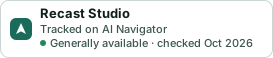
A small badge for Recast Studio’s README or site: its name, “Tracked on AI Navigator”, and the availability status and check month from this page. It updates as the catalog does.
Markdown
[](https://navigateaitools.com/explorer/tool/recast-studio)HTML
<a href="https://navigateaitools.com/explorer/tool/recast-studio"><img src="https://navigateaitools.com/badge/recast-studio.svg" alt="Recast Studio — tracked on AI Navigator" height="58"></a>