Redash
Connect to any data source and visualize your data easily.
- Status
- Generally available
- Last checked
- Checked · Oct 16, 2026
- License
- Open source
- Pricing
- Free tier · from $0
What it is
Redash allows you to connect to various data sources, create visualizations, build dashboards, and share insights with others. It simplifies the process of turning raw data into actionable information.
Redash stands out as a highly flexible, open-source tool that allows users to connect multiple data sources and create interactive dashboards with extensive customization options.
When it fits — and when it doesn’t
A good fit for
Data teams who need to connect multiple data sources and create interactive dashboards.
Companies looking for a self-hosted solution with extensive customization options.
Organizations that require real-time monitoring of KPIs through customizable alerts.
Look elsewhere if
Teams requiring cloud-based managed services without the need for self-hosting.
Projects needing advanced AI-driven analytics beyond basic querying and visualization.
Known weaknesses
Each one links to the public issue, changelog or docs page it came from, where we have one.
- 01
Limited built-in support for advanced analytics and machine learning
Lacks native integration with popular ML libraries like scikit-learn or TensorFlow
- 02
Performance issues under heavy load
Known scalability problems when handling large datasets or high concurrency
- 03
Documentation can be sparse and out-of-date
Community-contributed documentation is often incomplete or not aligned with latest versions
What it does well
Connects to multiple data sources including SQL databases, Google Sheets, and more.
Provides a web-based interface for creating visualizations and dashboards.
Supports sharing of queries and dashboards with team members or the public.
Includes alerting features based on query results.
Pricing
- Free tier
- YesOpen source — free to use
- Paid from
- $0
- Model
- Flat rate
- Enterprise plan
- No
Pricing not independently confirmed — check the vendor’s page.
Performance benchmarks
How Fast Is It?
Set up Redash
Setup steps, common gotchas and what to check after 30 days.
Get the badge
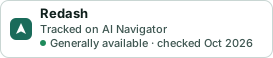
A small badge for Redash’s README or site: its name, “Tracked on AI Navigator”, and the availability status and check month from this page. It updates as the catalog does.
Markdown
[](https://navigateaitools.com/explorer/tool/redash)HTML
<a href="https://navigateaitools.com/explorer/tool/redash"><img src="https://navigateaitools.com/badge/redash.svg" alt="Redash — tracked on AI Navigator" height="58"></a>