 Frontend Frameworks
semver
Semantic version parser for Node.js and JavaScript projects.
- Status
- Generally available
- Last checked
- Checked · Oct 12, 2026
- License
- Open source
- Pricing
- Free tier · from $0
What it is
Semver is a semantic versioning library that provides tools to parse, validate, compare, and manipulate version strings. It's essential for managing software versions in development workflows.
Semver is the de facto standard for parsing and validating semver-compliant version strings, deeply integrated into Node.js ecosystems.
When it fits — and when it doesn’t
A good fit for
JavaScript and TypeScript developers who need to manage and validate semver-compliant version strings
Projects that require precise control over dependency versions in package.json files
Look elsewhere if
Applications requiring complex versioning schemes beyond semantic versioning
Teams preferring a graphical user interface for managing software versions
Known weaknesses
Each one links to the public issue, changelog or docs page it came from, where we have one.
- 01
Limited language support
While the primary language is JavaScript, official support for other languages like Python or Java is lacking.
- 02
Complex setup for non-JavaScript projects
Integrating semver into projects that are not primarily in JavaScript can require additional configuration and third-party libraries.
- 03
Documentation lacks depth and examples
The official documentation is concise but often does not provide enough context or detailed usage scenarios for complex operations.
- 04
Performance issues with large version ranges
When dealing with a large number of version ranges, the performance can degrade significantly due to inefficient range checking algorithms.
What it does well
Version string parsing and validation
Comparison of version strings
Range checking for semver ranges
Compatibility with npm's versioning scheme
Pricing
- Free tier
- YesOpen source — free to use
- Paid from
- $0
- Model
- Flat rate
- Enterprise plan
- No
Pricing not independently confirmed — check the vendor’s page.
Performance benchmarks
How Fast Is It?
Set up semver
Setup steps, common gotchas and what to check after 30 days.
Get the badge
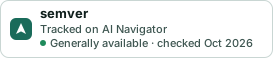
A small badge for semver’s README or site: its name, “Tracked on AI Navigator”, and the availability status and check month from this page. It updates as the catalog does.
Markdown
[](https://navigateaitools.com/explorer/tool/semver)HTML
<a href="https://navigateaitools.com/explorer/tool/semver"><img src="https://navigateaitools.com/badge/semver.svg" alt="semver — tracked on AI Navigator" height="58"></a>