 Model Hubs & Serving
Sentiment Analyzer
Analyze sentiment of tweets with this tool.
- Status
- UnmaintainedNo commits in 5261 days.
- Last checked
- Checked · Oct 12, 2026
- License
- Open source
- Pricing
- Free tier · from $0
What it is
The Sentiment Analyzer is a library that helps in analyzing the sentiment of tweets. It's useful for researchers and developers interested in social media analytics and understanding public opinion trends.
The Sentiment Analyzer provides a straightforward, open-source solution for sentiment analysis of tweets, making it ideal for Python developers and researchers without the need for complex setup or cloud services.
When it fits — and when it doesn’t
A good fit for
Developers working with Python who need to analyze sentiment of tweets for social media analytics.
Researchers interested in understanding public opinion trends through Twitter data.
Look elsewhere if
Projects requiring real-time streaming analysis (batch-only architecture)
Applications needing multi-language support beyond English
Known weaknesses
Each one links to the public issue, changelog or docs page it came from, where we have one.
- 01
Limited language support beyond English
The tool primarily supports English, which limits its utility for analyzing sentiment in tweets from non-English speaking regions.
- 02
Poor handling of sarcasm and context-dependent sentiments
Sentiment analysis often misinterprets sarcastic or contextually nuanced language, leading to inaccurate sentiment scores.
- 03
Performance issues with large datasets
The tool can become slow and resource-intensive when processing a high volume of tweets simultaneously.
- 04
Dependence on external libraries for preprocessing
Requires additional setup with libraries like NLTK or spaCy to preprocess text, which adds complexity to the project setup.
What it does well
Analyzes sentiment of tweets
Open-source under Apache-2.0 license
Can be integrated into Python projects
Pricing
- Free tier
- YesOpen source — free to use
- Paid from
- $0
- Model
- Flat rate
- Enterprise plan
- No
Pricing not independently confirmed — check the vendor’s page.
Performance benchmarks
How Fast Is It?
Set up Sentiment Analyzer
Setup steps, common gotchas and what to check after 30 days.
Get the badge
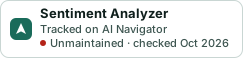
A small badge for Sentiment Analyzer’s README or site: its name, “Tracked on AI Navigator”, and the availability status and check month from this page. It updates as the catalog does.
Markdown
[](https://navigateaitools.com/explorer/tool/sentiment-analyzer)HTML
<a href="https://navigateaitools.com/explorer/tool/sentiment-analyzer"><img src="https://navigateaitools.com/badge/sentiment-analyzer.svg" alt="Sentiment Analyzer — tracked on AI Navigator" height="58"></a>