 Model Hubs & Serving
SLM Lab
Modular Deep Reinforcement Learning framework in PyTorch.
- Status
- Generally available
- Last checked
- Checked · Oct 12, 2026
- License
- Open source
- Pricing
- Free tier · from $0
What it is
SLM Lab is a modular and extensible Deep Reinforcement Learning framework built on PyTorch, designed for researchers and developers to easily experiment with various RL algorithms and environments.
SLM Lab stands out with its modular design and ease of use in PyTorch, making it an ideal choice for researchers and developers who want to quickly experiment with reinforcement learning algorithms without the overhead of setting up complex infrastructure.
When it fits — and when it doesn’t
A good fit for
Academic researchers who need a flexible and modular framework for experimenting with different RL algorithms.
Developers looking to integrate advanced RL capabilities into their projects without the complexity of building from scratch.
Look elsewhere if
Teams requiring real-time reinforcement learning applications, as SLM Lab is primarily designed for offline experimentation.
Projects that require a web-based interface or cloud-hosted solution.
Known weaknesses
Each one links to the public issue, changelog or docs page it came from, where we have one.
- 01
Limited documentation for advanced use cases
Core features lack comprehensive guides, relying on community forums and GitHub issues
- 02
Performance bottlenecks in large-scale deployments
Not optimized for distributed training across multiple GPUs or clusters out-of-the-box
What it does well
Modular design for easy experimentation with RL algorithms and environments.
Built on PyTorch, leveraging its computational graph capabilities.
Supports a wide range of reinforcement learning algorithms out-of-the-box.
Pricing
- Free tier
- YesOpen source — free to use
- Paid from
- $0
- Model
- Flat rate
- Enterprise plan
- No
Pricing not independently confirmed — check the vendor’s page.
Performance benchmarks
How Fast Is It?
Set up SLM Lab
Setup steps, common gotchas and what to check after 30 days.
Get the badge
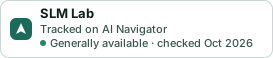
A small badge for SLM Lab’s README or site: its name, “Tracked on AI Navigator”, and the availability status and check month from this page. It updates as the catalog does.
Markdown
[](https://navigateaitools.com/explorer/tool/slm-lab)HTML
<a href="https://navigateaitools.com/explorer/tool/slm-lab"><img src="https://navigateaitools.com/badge/slm-lab.svg" alt="SLM Lab — tracked on AI Navigator" height="58"></a>