 Evaluation & Testing
Spammy
Email Spam Filtering Library Built on NLTK
- Status
- UnmaintainedNo commits in 3328 days.
- Last checked
- Checked · Oct 13, 2026
- License
- Open source
- Pricing
- Free tier · from $0
What it is
Spammy is a Python library for email spam filtering that leverages the Natural Language Toolkit (NLTK) to classify emails as spam or not spam.
Spammy stands out as a lightweight, Python-centric library for spam filtering, leveraging NLTK's capabilities without requiring additional dependencies.
When it fits — and when it doesn’t
A good fit for
Projects requiring a lightweight, Python-based solution for email spam filtering
Developers looking to integrate spam detection into their applications using NLTK
Look elsewhere if
Applications that require real-time processing of large volumes of emails due to potential performance limitations
Scenarios where the GPL-3.0 license is not compatible with project requirements
Known weaknesses
Each one links to the public issue, changelog or docs page it came from, where we have one.
- 01
Limited support for modern email formats and encodings
Spammy may not handle MIME types or complex email structures effectively, leading to misclassification of spam.
- 02
Dependence on NLTK can lead to performance bottlenecks
NLTK's text processing functions are computationally intensive and may slow down real-time spam filtering applications.
- 03
Small community and limited documentation
The library has a small user base and the documentation lacks examples for advanced use cases, making it hard to troubleshoot issues.
What it does well
Built on top of NLTK for robust text processing capabilities
Provides a straightforward API for integrating spam filtering into applications
Open-source and community-maintained
Pricing
- Free tier
- YesOpen source — free to use
- Paid from
- $0
- Model
- Flat rate
- Enterprise plan
- No
Pricing not independently confirmed — check the vendor’s page.
Performance benchmarks
How Fast Is It?
Set up Spammy
Setup steps, common gotchas and what to check after 30 days.
Get the badge
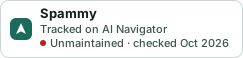
A small badge for Spammy’s README or site: its name, “Tracked on AI Navigator”, and the availability status and check month from this page. It updates as the catalog does.
Markdown
[](https://navigateaitools.com/explorer/tool/spammy)HTML
<a href="https://navigateaitools.com/explorer/tool/spammy"><img src="https://navigateaitools.com/badge/spammy.svg" alt="Spammy — tracked on AI Navigator" height="58"></a>