Provider Openai
BYOK OpenAI Stubshot provider for image generation
- Status
- Generally available
- Last checked
- Checked · Oct 12, 2026
- License
- Proprietary
- Pricing
- Paid
What it is
A BYOK (Bring Your Own Key) provider for the Stubshot platform, enabling users to generate images using OpenAI's capabilities. This tool is essential for developers looking to integrate secure and customizable image generation into their applications.
This provider stands out by offering Bring Your Own Key (BYOK) capabilities, making it ideal for organizations with stringent security requirements.
When it fits — and when it doesn’t
A good fit for
Teams that require Bring Your Own Key (BYOK) support for image generation to meet security and compliance requirements.
Developers looking to integrate OpenAI's image generation capabilities into their applications with the flexibility of custom parameters.
Look elsewhere if
Projects where cost is a significant concern, as this tool operates on a usage-based pricing model without a free tier
Teams that do not require BYOK support and are looking for more budget-friendly options
Known weaknesses
Each one links to the public issue, changelog or docs page it came from, where we have one.
- 01
Limited language support beyond Python and JavaScript
Primary support is for Python, with secondary support for JavaScript; no official support for other languages like Go or Rust
- 02
Expensive at scale due to underlying OpenAI costs
Usage fees from OpenAI can become prohibitive as the volume of image generation requests increases
What it does well
BYOK support for enhanced security and compliance
Integration with the Stubshot platform for seamless image generation
Customizable parameters to tailor image outputs
Pricing
- Free tier
- No
- Paid from
- —
- Model
- Usage-based
- Enterprise plan
- No
Pricing not independently confirmed — check the vendor’s page.
Performance benchmarks
How Fast Is It?
Set up Provider Openai
Setup steps, common gotchas and what to check after 30 days.
Get the badge
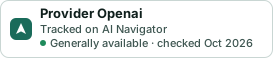
A small badge for Provider Openai’s README or site: its name, “Tracked on AI Navigator”, and the availability status and check month from this page. It updates as the catalog does.
Markdown
[](https://navigateaitools.com/explorer/tool/stubshot-provider-openai)HTML
<a href="https://navigateaitools.com/explorer/tool/stubshot-provider-openai"><img src="https://navigateaitools.com/badge/stubshot-provider-openai.svg" alt="Provider Openai — tracked on AI Navigator" height="58"></a>