 Frontend Frameworks
tensor-js
Deep learning in the browser with WebGL and WebAssembly acceleration.
- Status
- UnmaintainedNo commits in 1971 days.
- Last checked
- Checked · Oct 13, 2026
- License
- Open source
- Pricing
- Free tier · from $0
What it is
tensor-js is a deep learning library designed to run directly in web browsers. It leverages WebGL for GPU acceleration and WebAssembly for high performance, making it ideal for running complex models on client devices without server-side dependencies.
tensor-js stands out as one of the few deep learning libraries optimized for client-side execution in web browsers, offering a unique blend of performance and accessibility.
When it fits — and when it doesn’t
A good fit for
Teams building web apps where client-side processing is critical for performance or privacy reasons
Educators looking to demonstrate machine learning principles directly within a browser environment
Look elsewhere if
Projects requiring heavy computational resources that exceed the capabilities of most browsers
Applications needing real-time, high-throughput inference on large datasets
Known weaknesses
Each one links to the public issue, changelog or docs page it came from, where we have one.
- 01
Limited support for advanced deep learning models
tensor-js lacks native support for complex architectures like transformers or GANs, requiring manual implementation
- 02
Performance can degrade on lower-end devices
WebGL and WebAssembly performance is highly dependent on the device's graphics capabilities and may not be optimal on older hardware
- 03
Small community and limited third-party integrations
Compared to larger frameworks like TensorFlow.js, tensor-js has fewer contributors and less third-party support for tools and libraries
What it does well
Runs deep learning models directly in the browser
Accelerated by WebGL and WebAssembly for high performance
No server-side dependencies required
Pricing
- Free tier
- YesOpen source — free to use
- Paid from
- $0
- Model
- Flat rate
- Enterprise plan
- No
Pricing not independently confirmed — check the vendor’s page.
Performance benchmarks
How Fast Is It?
Set up tensor-js
Setup steps, common gotchas and what to check after 30 days.
Get the badge
A small badge for tensor-js’s README or site: its name, “Tracked on AI Navigator”, and the availability status and check month from this page. It updates as the catalog does.
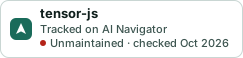
Markdown
[](https://navigateaitools.com/explorer/tool/tensor-js)HTML
<a href="https://navigateaitools.com/explorer/tool/tensor-js"><img src="https://navigateaitools.com/badge/tensor-js.svg" alt="tensor-js — tracked on AI Navigator" height="58"></a>