 Frontend Frameworks
Tinyhttp
Modern and fast Express-like web framework for high-performance applications.
- Status
- Generally available
- Last checked
- Checked · Oct 13, 2026
- License
- Open source
- Pricing
- Free tier · from $0
What it is
Tinyhttp is a lightweight, modern, and fast web framework inspired by Express. It offers high performance and ease of use, making it ideal for developers looking to build efficient web applications quickly.
Tinyhttp stands out as a lightweight, high-performance alternative to Express, offering developers the familiar API of Express but with reduced overhead.
When it fits — and when it doesn’t
A good fit for
Teams looking to build fast, lightweight web services without sacrificing ease of use.
Projects requiring a high-performance framework for handling large volumes of requests.
Look elsewhere if
Applications that require extensive middleware and plugins not supported by Tinyhttp
Developers who need a full-featured framework with built-in ORM or complex routing
Known weaknesses
Each one links to the public issue, changelog or docs page it came from, where we have one.
- 01
Limited middleware ecosystem compared to Express
Tinyhttp's community is smaller, leading to fewer third-party middleware options available.
- 02
Documentation lacks depth and examples for complex use cases
Official documentation focuses on basic usage without advanced scenarios or troubleshooting guides.
- 03
Performance benefits may not be noticeable in small-scale applications
The overhead reduction is most significant for high-traffic, resource-intensive applications.
What it does well
High performance and low overhead
Express-like API for ease of use
Middleware support for flexible application building
Pricing
- Free tier
- YesOpen source — free to use
- Paid from
- $0
- Model
- Flat rate
- Enterprise plan
- No
Pricing not independently confirmed — check the vendor’s page.
Performance benchmarks
How Fast Is It?
Set up Tinyhttp
Setup steps, common gotchas and what to check after 30 days.
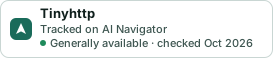
Get the badge
A small badge for Tinyhttp’s README or site: its name, “Tracked on AI Navigator”, and the availability status and check month from this page. It updates as the catalog does.
Markdown
[](https://navigateaitools.com/explorer/tool/tinyhttp)HTML
<a href="https://navigateaitools.com/explorer/tool/tinyhttp"><img src="https://navigateaitools.com/badge/tinyhttp.svg" alt="Tinyhttp — tracked on AI Navigator" height="58"></a>