 Frontend Frameworks
tinytag
A library for reading metadata from MP3, OGG, FLAC and Wave files.
- Status
- Generally available
- Last checked
- Checked · Oct 13, 2026
- License
- Open source
- Pricing
- Free tier · from $0
What it is
TinyTag is a lightweight Python library that allows developers to read metadata from various audio file formats including MP3, OGG, FLAC, and Wave. It's useful for applications needing to extract information like title, artist, album, or duration without the need for heavy dependencies.
TinyTag stands out by offering a lightweight and dependency-free solution specifically tailored for extracting metadata from multiple audio formats in Python applications.
When it fits — and when it doesn’t
A good fit for
Python developers who need a lightweight solution to read metadata from various audio formats without heavy dependencies.
Projects that require quick and efficient extraction of audio file information in Python applications.
Look elsewhere if
Applications requiring real-time streaming or processing of audio data, as TinyTag is focused on reading static metadata.
Developers looking for a comprehensive media library with extensive features beyond basic metadata extraction.
Known weaknesses
Each one links to the public issue, changelog or docs page it came from, where we have one.
- 01
Limited support for advanced metadata fields
TinyTag primarily supports basic metadata fields such as title, artist, album, and duration. Advanced or custom metadata fields are not well-supported.
- 02
No built-in caching mechanism
Repeated reads of the same file do not benefit from a caching layer, which can lead to performance issues when dealing with large datasets.
- 03
Does not support writing metadata
TinyTag is read-only and does not provide functionality for modifying or writing metadata back into audio files.
- 04
Minimal documentation and examples
The official documentation lacks comprehensive examples and detailed explanations, which can make it difficult for new users to understand how to use the library effectively.
What it does well
Lightweight and easy to integrate into Python projects.
Supports multiple audio file formats including MP3, OGG, FLAC, and Wave.
Does not require heavy dependencies or external libraries.
Pricing
- Free tier
- YesOpen source — free to use
- Paid from
- $0
- Model
- Flat rate
- Enterprise plan
- No
Pricing not independently confirmed — check the vendor’s page.
Performance benchmarks
How Fast Is It?
Set up tinytag
Setup steps, common gotchas and what to check after 30 days.
Get the badge
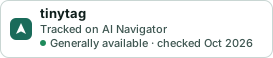
A small badge for tinytag’s README or site: its name, “Tracked on AI Navigator”, and the availability status and check month from this page. It updates as the catalog does.
Markdown
[](https://navigateaitools.com/explorer/tool/tinytag)HTML
<a href="https://navigateaitools.com/explorer/tool/tinytag"><img src="https://navigateaitools.com/badge/tinytag.svg" alt="tinytag — tracked on AI Navigator" height="58"></a>