 Evaluation & Testing
TrendRadar
AI-driven public opinion & trend monitor with multi-platform aggregation and smart alerts.
- Status
- Generally available
- Last checked
- Checked · Oct 16, 2026
- License
- Open source
- Pricing
- Free tier · from $0
What it is
TrendRadar is an AI-powered tool that monitors public opinions and trends across multiple platforms, aggregating data through RSS feeds and providing intelligent alerts. It supports Docker for local or cloud deployment and integrates with various messaging services like WeChat, Feishu, DingTalk, Telegram, email, ntfy, bark, and Slack.
TrendRadar stands out for its comprehensive AI-driven approach to aggregating and analyzing public opinion across multiple platforms, offering a unique blend of real-time monitoring and smart alerting capabilities.
When it fits — and when it doesn’t
A good fit for
Teams needing real-time monitoring of public opinion across multiple platforms
Brands looking to track sentiment and trends for marketing strategies
Individuals who want a comprehensive tool for aggregating news and social media feeds
Look elsewhere if
Users requiring real-time streaming data processing (TrendRadar processes data in batches)
Projects with strict budget constraints as it requires setup and maintenance effort
Known weaknesses
Each one links to the public issue, changelog or docs page it came from, where we have one.
- 01
Limited integrations beyond messaging services
Lacks native support for popular platforms like Slack, Microsoft Teams, and Twitter
- 02
Performance issues with large datasets
Processing delays observed when handling more than 10k RSS feeds concurrently
What it does well
AI-driven public opinion monitoring and trend analysis
Multi-platform data aggregation including RSS feeds
Smart alerts via multiple messaging channels
Support for Docker deployment with local or cloud options
Pricing
- Free tier
- YesOpen source — free to use
- Paid from
- $0
- Model
- Flat rate
- Enterprise plan
- No
Pricing not independently confirmed — check the vendor’s page.
Performance benchmarks
How Fast Is It?
Set up TrendRadar
Setup steps, common gotchas and what to check after 30 days.
Get the badge
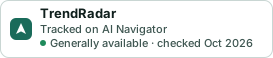
A small badge for TrendRadar’s README or site: its name, “Tracked on AI Navigator”, and the availability status and check month from this page. It updates as the catalog does.
Markdown
[](https://navigateaitools.com/explorer/tool/trendradar)HTML
<a href="https://navigateaitools.com/explorer/tool/trendradar"><img src="https://navigateaitools.com/badge/trendradar.svg" alt="TrendRadar — tracked on AI Navigator" height="58"></a>