 Frontend Frameworks
yazl
A JavaScript library for creating zip files.
- Status
- Generally available
- Last checked
- Checked · Oct 12, 2026
- License
- Open source
- Pricing
- Free tier · from $0
What it is
Yazl is a Node.js library that allows developers to create ZIP archives. It's useful for packaging and distributing files in a compressed format, making it easier to share or deploy applications.
Yazl stands out by providing efficient and memory-friendly ZIP creation capabilities directly within Node.js applications.
When it fits — and when it doesn’t
A good fit for
Developers who need to programmatically create ZIP files in Node.js applications without loading large files into memory
Projects requiring efficient file compression and archiving for distribution or backup purposes
Look elsewhere if
Applications that require real-time streaming of compressed data over a network (yazl is designed for local file operations)
Scenarios where the use of ZIP format is not preferred, such as when other archive formats are required
Known weaknesses
Each one links to the public issue, changelog or docs page it came from, where we have one.
- 01
Limited documentation and examples
The official repository lacks comprehensive guides or tutorials, making it difficult for new users to understand how to use the library effectively.
- 02
No support for ZIP64 format
Yazl does not handle files larger than 4GB due to its lack of ZIP64 support, which can be a significant limitation when working with large datasets or applications.
- 03
Does not support encryption for ZIP archives
Yazl does not provide functionality to encrypt files within the ZIP archive, posing security risks when sensitive data needs to be included in the package.
What it does well
Creates ZIP files in Node.js applications
Supports streaming, allowing large files to be processed without loading them entirely into memory
Pricing
- Free tier
- YesOpen source — free to use
- Paid from
- $0
- Model
- Flat rate
- Enterprise plan
- No
Pricing not independently confirmed — check the vendor’s page.
Performance benchmarks
How Fast Is It?
Set up yazl
Setup steps, common gotchas and what to check after 30 days.
Get the badge
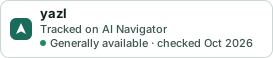
A small badge for yazl’s README or site: its name, “Tracked on AI Navigator”, and the availability status and check month from this page. It updates as the catalog does.
Markdown
[](https://navigateaitools.com/explorer/tool/yazl)HTML
<a href="https://navigateaitools.com/explorer/tool/yazl"><img src="https://navigateaitools.com/badge/yazl.svg" alt="yazl — tracked on AI Navigator" height="58"></a>