 Hosting & Deployment
Zappa
Deploy WSGI applications on AWS Lambda and API Gateway with ease.
- Status
- Generally available
- Last checked
- Checked · Oct 12, 2026
- License
- Open source
- Pricing
- Free tier · from $0
What it is
Zappa is a tool for deploying Python-based web applications written in the WSGI framework to AWS Lambda and API Gateway, enabling serverless execution. It simplifies the process of setting up and managing cloud deployments without requiring deep knowledge of AWS services.
Zappa stands out by simplifying the deployment of Python WSGI applications on AWS Lambda and API Gateway, making serverless architecture accessible to developers familiar with Python web frameworks like Flask and Django.
When it fits — and when it doesn’t
A good fit for
Developers looking for a simple way to deploy Flask or Django apps on AWS Lambda without deep knowledge of AWS services.
Teams that want to leverage serverless architecture but prefer using Python and familiar web frameworks.
Look elsewhere if
Projects requiring real-time processing or low-latency responses, as cold start times can be significant with AWS Lambda.
Applications needing complex orchestration across multiple services beyond what Zappa provides out-of-the-box.
Known weaknesses
Each one links to the public issue, changelog or docs page it came from, where we have one.
- 01
Limited language support beyond Python
Primary focus on Python, limited official support for other languages
- 02
Performance overhead due to cold start issues in AWS Lambda
Cold starts can introduce latency in serverless applications
What it does well
Serverless deployment of Python WSGI applications on AWS Lambda and API Gateway.
Automatic configuration and management of AWS resources.
Support for continuous integration and deployment workflows.
Integration with popular Python web frameworks like Flask and Django.
Pricing
- Free tier
- YesOpen source — free to use
- Paid from
- $0
- Model
- Flat rate
- Enterprise plan
- No
Pricing not independently confirmed — check the vendor’s page.
Performance benchmarks
How Fast Is It?
Set up Zappa
Setup steps, common gotchas and what to check after 30 days.
Get the badge
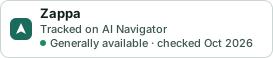
A small badge for Zappa’s README or site: its name, “Tracked on AI Navigator”, and the availability status and check month from this page. It updates as the catalog does.
Markdown
[](https://navigateaitools.com/explorer/tool/zappa)HTML
<a href="https://navigateaitools.com/explorer/tool/zappa"><img src="https://navigateaitools.com/badge/zappa.svg" alt="Zappa — tracked on AI Navigator" height="58"></a>