 Frontend Frameworks
ipdb
IPython-enabled Python debugger for enhanced interactive debugging.
- Status
- Generally available
- Last checked
- Checked · Oct 11, 2026
- License
- Open source
- Pricing
- Free tier · from $0
What it is
ipdb is an extension of the standard pdb module that integrates IPython's features. It provides a powerful and interactive environment for debugging Python code, making it easier to inspect variables and execute commands during breakpoints.
ipdb stands out by integrating IPython's interactive capabilities into the standard pdb debugger, offering a more powerful and user-friendly debugging experience.
When it fits — and when it doesn’t
A good fit for
Developers who need an interactive and powerful debugging environment for Python applications.
Teams working on large-scale projects where detailed inspection of variable states is crucial.
Look elsewhere if
Projects that require real-time debugging without stopping execution
Environments with strict security policies against using external libraries
Known weaknesses
Each one links to the public issue, changelog or docs page it came from, where we have one.
- 01
Limited usefulness for non-Python projects
ipdb is tightly integrated with Python and does not support other programming languages.
- 02
Requires a good understanding of both pdb and IPython
Users need to be familiar with the command structures of both pdb and IPython, which can increase the learning curve for new users.
- 03
Performance overhead during debugging sessions
Using ipdb can introduce performance delays, especially in large codebases or complex applications due to its interactive nature.
What it does well
Enhanced debugging with IPython's interactive features
Support for complex expressions and commands during breakpoints
Improved readability of variable inspection
Pricing
- Free tier
- YesOpen source — free to use
- Paid from
- $0
- Model
- Flat rate
- Enterprise plan
- No
Pricing not independently confirmed — check the vendor’s page.
Performance benchmarks
How Fast Is It?
Set up ipdb
Setup steps, common gotchas and what to check after 30 days.
Get the badge
A small badge for ipdb’s README or site: its name, “Tracked on AI Navigator”, and the availability status and check month from this page. It updates as the catalog does.
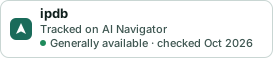
Markdown
[](https://navigateaitools.com/explorer/tool/ipdb)HTML
<a href="https://navigateaitools.com/explorer/tool/ipdb"><img src="https://navigateaitools.com/badge/ipdb.svg" alt="ipdb — tracked on AI Navigator" height="58"></a>