 GPU & Compute
Pinocchio
Fast and flexible Rigid Body Dynamics algorithms implementation
- Status
- Generally available
- Last checked
- Checked · Oct 10, 2026
- License
- Open source
- Pricing
- Free tier · from $0
What it is
Pinocchio is a fast and flexible library for implementing Rigid Body Dynamics algorithms and their analytical derivatives, making it ideal for robotics and simulation applications.
Pinocchio stands out as an efficient and flexible library specifically tailored for Rigid Body Dynamics, offering both analytical derivatives and a robust set of algorithms for robotics and simulation tasks.
When it fits — and when it doesn’t
A good fit for
Developers working on robotic simulations who need efficient dynamics calculations
Researchers studying mechanical systems requiring precise analytical derivatives
Educators teaching robotics and mechanics with a focus on practical implementation
Look elsewhere if
Projects that require real-time interaction without the flexibility for pre-computation
Applications needing extensive graphical user interface (GUI) support
Known weaknesses
Each one links to the public issue, changelog or docs page it came from, where we have one.
- 01
Limited language support beyond C++ and Python
No official support for languages like Java or JavaScript, relying on community efforts which may be unstable
- 02
Performance issues with large-scale simulations
Simulations involving thousands of rigid bodies can lead to significant slowdowns and memory usage spikes
What it does well
Fast and flexible Rigid Body Dynamics algorithms implementation
Analytical derivatives for dynamics calculations
Supports both C++ and Python interfaces
Extensive documentation and examples
Active community and regular updates
Pricing
- Free tier
- YesOpen source — free to use
- Paid from
- $0
- Model
- Flat rate
- Enterprise plan
- No
Pricing not independently confirmed — check the vendor’s page.
Performance benchmarks
How Fast Is It?
Set up Pinocchio
Setup steps, common gotchas and what to check after 30 days.
Get the badge
A small badge for Pinocchio’s README or site: its name, “Tracked on AI Navigator”, and the availability status and check month from this page. It updates as the catalog does.
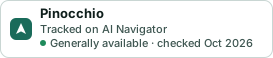
Markdown
[](https://navigateaitools.com/explorer/tool/pinocchio)HTML
<a href="https://navigateaitools.com/explorer/tool/pinocchio"><img src="https://navigateaitools.com/badge/pinocchio.svg" alt="Pinocchio — tracked on AI Navigator" height="58"></a>