 Frontend Frameworks
Python Tools for Visual Studio
Enhance your Python development experience with Visual Studio.
- Status
- Generally available
- Last checked
- Checked · Oct 10, 2026
- License
- Open source
- Pricing
- Free tier · from $0
What it is
PTVS provides a comprehensive set of tools to develop Python applications within the familiar environment of Visual Studio, including support for debugging, testing, and profiling.
PTVS offers deep integration with Visual Studio's powerful features, making it an ideal choice for Python developers who value robust debugging and testing capabilities in a familiar environment.
When it fits — and when it doesn’t
A good fit for
Python developers who prefer the Visual Studio environment for its powerful debugging and testing features.
Teams working on large-scale Python projects that require robust IDE support.
Look elsewhere if
Developers looking for a cloud-based development experience, as PTVS is primarily designed for local use.
Users requiring real-time collaboration features within the IDE.
Known weaknesses
Each one links to the public issue, changelog or docs page it came from, where we have one.
- 01
Steep learning curve for non-Python developers
PTVS leverages Python-specific features and patterns that may be unfamiliar to those without a strong background in the language.
- 02
Limited documentation and community support
The project, while open source, has relatively limited official documentation and a smaller user base compared to other mainstream development tools like PyCharm or VS Code with Python extensions.
- 03
Performance issues during large-scale projects
Users have reported slow performance and high memory usage when working on larger codebases, which can impact developer productivity.
- 04
Complex setup process for certain configurations
Setting up PTVS with specific Python environments or virtual environments can be cumbersome and requires detailed configuration steps that may not be intuitive to all users.
What it does well
Integrated debugging support for Python applications.
Code intelligence features like IntelliSense and code navigation.
Support for Django, Flask, and other popular web frameworks.
Enhanced testing tools including unit tests and test explorer.
Integration with Visual Studio's powerful editor.
Pricing
- Free tier
- YesOpen source — free to use
- Paid from
- $0
- Model
- Flat rate
- Enterprise plan
- No
Pricing not independently confirmed — check the vendor’s page.
Performance benchmarks
How Fast Is It?
Set up Python Tools for Visual Studio
Setup steps, common gotchas and what to check after 30 days.
Get the badge
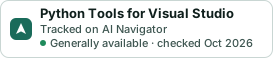
A small badge for Python Tools for Visual Studio’s README or site: its name, “Tracked on AI Navigator”, and the availability status and check month from this page. It updates as the catalog does.
Markdown
[](https://navigateaitools.com/explorer/tool/ptvs)HTML
<a href="https://navigateaitools.com/explorer/tool/ptvs"><img src="https://navigateaitools.com/badge/ptvs.svg" alt="Python Tools for Visual Studio — tracked on AI Navigator" height="58"></a>