 Frontend Frameworks
Python Prompt Toolkit
Build powerful interactive command lines with Python.
- Status
- Generally available
- Last checked
- Checked · Oct 17, 2026
- License
- Open source
- Pricing
- Free tier · from $0
What it is
Python Prompt Toolkit is a library for building powerful interactive command-line interfaces. It provides rich text formatting, multi-line inputs, and advanced features like auto-completion and syntax highlighting, making it essential for developers who need to create sophisticated terminal applications.
Python Prompt Toolkit stands out by offering extensive customization options and advanced features like multi-line inputs, syntax highlighting, and rich text formatting, making it ideal for developers who need to create sophisticated terminal applications.
When it fits — and when it doesn’t
A good fit for
Developers building complex CLI tools that require rich text formatting and advanced user interaction features.
Projects needing a customizable, feature-rich terminal interface for debugging or interactive data manipulation.
Look elsewhere if
Simple command-line scripts where basic input/output is sufficient
Applications requiring real-time collaboration in the terminal
Known weaknesses
Each one links to the public issue, changelog or docs page it came from, where we have one.
- 01
Steep learning curve for non-Python developers
API requires Python-specific patterns, such as context managers and decorators, which may be unfamiliar to those without extensive Python experience.
- 02
Frequent breaking changes between versions
Historical updates from v0.1 to v0.2 and beyond have introduced significant API changes, requiring substantial code refactoring for existing projects.
- 03
Limited integrations with non-Python tools
Being a Python-specific library means that it does not integrate easily with other languages or frameworks without additional development effort.
- 04
Complex setup for advanced features
Setting up syntax highlighting, auto-completion, and multi-line inputs requires significant configuration and understanding of the library's architecture.
What it does well
Rich text formatting for terminal output
Multi-line input support with syntax highlighting
Advanced auto-completion and history management
Customizable key bindings and user interface elements
Pricing
- Free tier
- YesOpen source — free to use
- Paid from
- $0
- Model
- Flat rate
- Enterprise plan
- No
Pricing not independently confirmed — check the vendor’s page.
Performance benchmarks
How Fast Is It?
Set up Python Prompt Toolkit
Setup steps, common gotchas and what to check after 30 days.
Get the badge
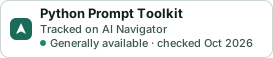
A small badge for Python Prompt Toolkit’s README or site: its name, “Tracked on AI Navigator”, and the availability status and check month from this page. It updates as the catalog does.
Markdown
[](https://navigateaitools.com/explorer/tool/python-prompt-toolkit)HTML
<a href="https://navigateaitools.com/explorer/tool/python-prompt-toolkit"><img src="https://navigateaitools.com/badge/python-prompt-toolkit.svg" alt="Python Prompt Toolkit — tracked on AI Navigator" height="58"></a>