 Image & Design
tesserocr
Pillow-friendly wrapper around tesseract-OCR for Python
- Status
- Generally available
- Last checked
- Checked · Oct 13, 2026
- License
- Open source
- Pricing
- Free tier · from $0
What it is
Tesserocr is a simple and efficient OCR tool that wraps the Tesseract API, making it easy to integrate into Python projects using Pillow. It's ideal for developers needing robust text extraction from images.
Tesserocr stands out as an efficient, high-performance OCR tool for Python developers who need to integrate text extraction capabilities into their projects using Pillow.
When it fits — and when it doesn’t
A good fit for
Developers who need to integrate robust OCR functionality into their Python projects using Pillow for image processing
Projects requiring high accuracy in text extraction from images and scanned documents
Look elsewhere if
Applications that require real-time streaming of OCR results (tesserocr is batch-oriented)
Use cases where the overhead of setting up a local environment with Tesseract and Python libraries is prohibitive
Known weaknesses
Each one links to the public issue, changelog or docs page it came from, where we have one.
- 01
Limited language support beyond Python
Tesserocr is tightly integrated with Python and its ecosystem, making it less accessible for developers using other languages.
- 02
Dependence on Tesseract's accuracy limitations
OCR performance heavily relies on the underlying Tesseract engine, which may struggle with low-quality or non-standard text images.
- 03
Complex setup for new users
Installation requires setting up both Python dependencies and Tesseract itself, which can be cumbersome especially on Windows systems.
- 04
Documentation is sparse and lacks comprehensive examples
The official documentation provides basic usage but lacks advanced use cases and troubleshooting guides.
What it does well
Efficient OCR processing using Tesseract API
Seamless integration with Pillow for image handling
Highly optimized for performance and accuracy
Pricing
- Free tier
- YesOpen source — free to use
- Paid from
- $0
- Model
- Flat rate
- Enterprise plan
- No
Pricing not independently confirmed — check the vendor’s page.
Performance benchmarks
How Fast Is It?
Set up tesserocr
Setup steps, common gotchas and what to check after 30 days.
Get the badge
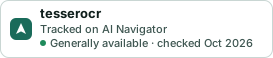
A small badge for tesserocr’s README or site: its name, “Tracked on AI Navigator”, and the availability status and check month from this page. It updates as the catalog does.
Markdown
[](https://navigateaitools.com/explorer/tool/tesserocr)HTML
<a href="https://navigateaitools.com/explorer/tool/tesserocr"><img src="https://navigateaitools.com/badge/tesserocr.svg" alt="tesserocr — tracked on AI Navigator" height="58"></a>