 Frontend Frameworks
Typer
Modern CLI framework using Python type hints for Click and Pydantic.
- Status
- Generally available
- Last checked
- Checked · Oct 16, 2026
- License
- Open source
- Pricing
- Free tier · from $0
What it is
Typer is a modern CLI framework built on top of Click and Pydantic, leveraging Python's type hints to create powerful command-line interfaces. It simplifies the process of building robust CLIs with automatic argument parsing and validation.
Typer stands out by leveraging Python's type hints to simplify argument parsing and validation, making it easier than ever to build powerful CLIs with Click and Pydantic.
When it fits — and when it doesn’t
A good fit for
Teams developing complex CLIs who need robust argument handling and validation.
Developers looking to quickly build Python-based command-line applications.
Projects requiring automatic help message generation from docstrings.
Look elsewhere if
Developers needing a full web framework for building APIs or websites.
Projects that require non-Python specific features in their CLI tools.
Known weaknesses
Each one links to the public issue, changelog or docs page it came from, where we have one.
- 01
Typer no longer supports Click-specific functionality or plugins due to vendoring Click
The removal of Click as a third-party dependency in favor of vendoring its source code breaks compatibility with existing Click integrations and customizations.
Source: release notes 0.26.0 ↗ - 02
Development progress is slowed by the maintainer's focus on other projects
The maintainer explicitly states that work on Typer is alternated with other projects like FastAPI and SQLModel, which may delay feature implementation and issue resolution.
Source: GitHub issue #678 ↗
What it does well
Uses Python type hints for argument parsing and validation.
Built on Click, a powerful CLI library.
Integrates with Pydantic for data validation.
Simplifies the creation of complex CLIs.
Automatically generates help messages from docstrings.
Pricing
- Free tier
- YesOpen source — free to use
- Paid from
- $0
- Model
- Flat rate
- Enterprise plan
- No
Pricing not independently confirmed — check the vendor’s page.
Performance benchmarks
How Fast Is It?
Set up Typer
Setup steps, common gotchas and what to check after 30 days.
Get the badge
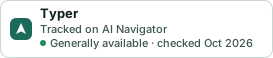
A small badge for Typer’s README or site: its name, “Tracked on AI Navigator”, and the availability status and check month from this page. It updates as the catalog does.
Markdown
[](https://navigateaitools.com/explorer/tool/typer)HTML
<a href="https://navigateaitools.com/explorer/tool/typer"><img src="https://navigateaitools.com/badge/typer.svg" alt="Typer — tracked on AI Navigator" height="58"></a>