 Frontend Frameworks
pudb
A full-screen, console-based Python debugger for developers.
- Status
- Generally available
- Last checked
- Checked · Oct 10, 2026
- License
- Open source
- Pricing
- Free tier · from $0
What it is
pudb is a powerful and user-friendly debugging tool that provides a full-screen interface in the terminal. It helps developers step through their code, inspect variables, and understand program flow without leaving the command line.
pudb stands out as a console-based debugger, offering an efficient and distraction-free environment for developers who prefer working in the terminal.
When it fits — and when it doesn’t
A good fit for
Developers who prefer command-line interfaces and need a powerful debugger without leaving the terminal.
Teams working on Python projects that require deep inspection of code execution flow.
Look elsewhere if
Users requiring graphical user interface (GUI) debuggers for more visual debugging experiences.
Projects needing integration with cloud-based development environments.
Known weaknesses
Each one links to the public issue, changelog or docs page it came from, where we have one.
- 01
Limited to Python only
pudb is specifically designed for debugging Python code and does not support other programming languages.
- 02
Text-based interface may be less intuitive than graphical debuggers
The full-screen terminal interface, while powerful, can be less visually intuitive compared to GUI-based debuggers for some users.
- 03
Smaller community and slower development pace
pudb has a smaller user base and fewer contributors compared to more mainstream debugging tools like PyCharm's debugger or Visual Studio Code's Python extension, leading to potentially slower feature updates and bug fixes.
- 04
Advanced features may require deep understanding of Python internals
To fully leverage advanced debugging capabilities such as variable inspection and step-by-step execution, users need a solid grasp of Python's internal workings and debugging concepts.
What it does well
Full-screen, console-based interface for debugging Python code.
Supports breakpoints and variable inspection.
Step-by-step execution of code to understand program flow.
Integrated with popular Python IDEs and editors.
No need to leave the command line for debugging.
Pricing
- Free tier
- YesOpen source — free to use
- Paid from
- $0
- Model
- Flat rate
- Enterprise plan
- No
Pricing not independently confirmed — check the vendor’s page.
Performance benchmarks
How Fast Is It?
Set up pudb
Setup steps, common gotchas and what to check after 30 days.
Get the badge
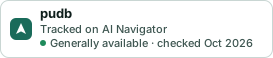
A small badge for pudb’s README or site: its name, “Tracked on AI Navigator”, and the availability status and check month from this page. It updates as the catalog does.
Markdown
[](https://navigateaitools.com/explorer/tool/pudb)HTML
<a href="https://navigateaitools.com/explorer/tool/pudb"><img src="https://navigateaitools.com/badge/pudb.svg" alt="pudb — tracked on AI Navigator" height="58"></a>